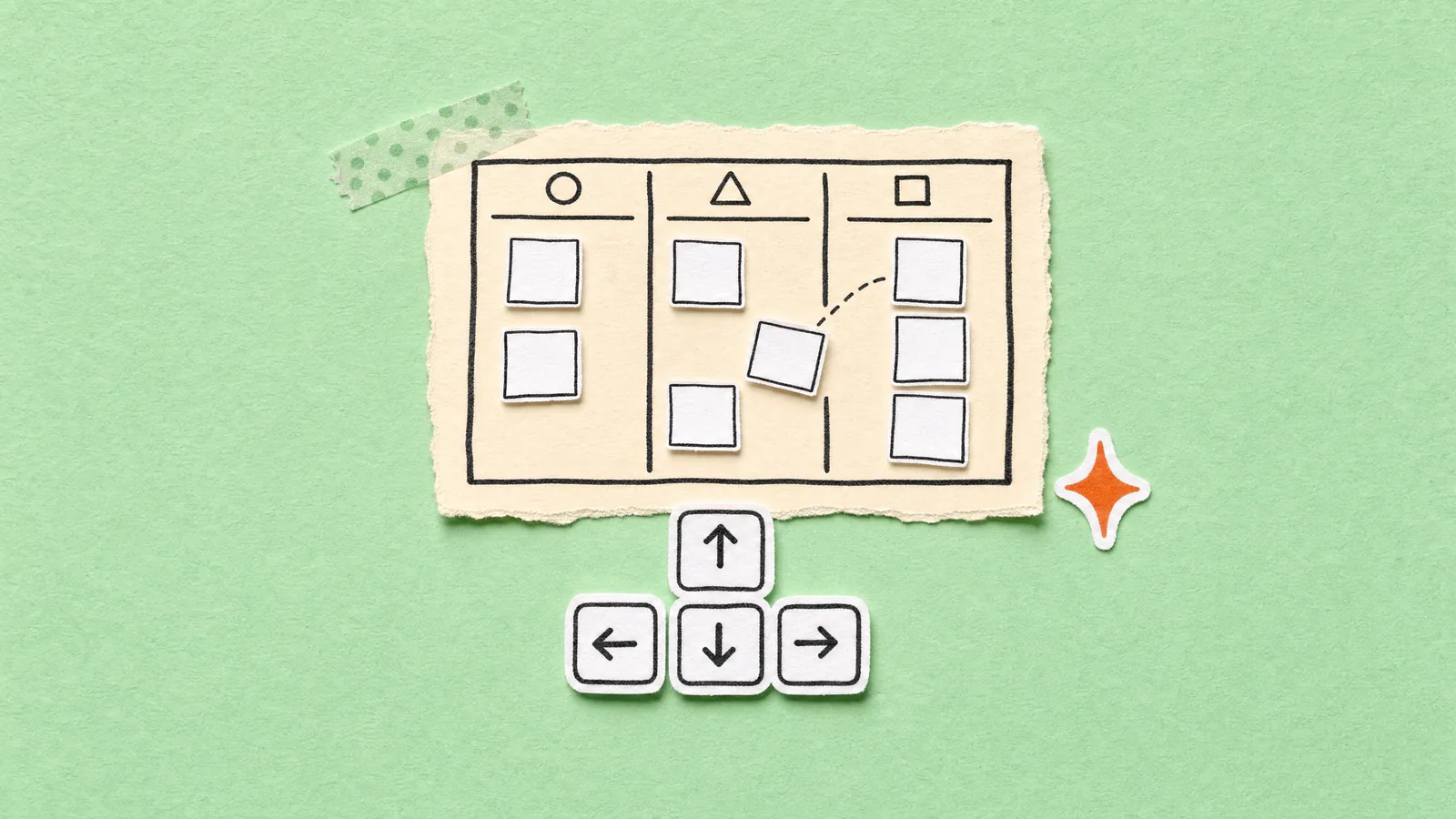
A drag-and-drop board is keyboard friendly when every card can be reached with Tab, picked up with Space, moved with the arrow keys and dropped with Space, and a screen reader hears what happened at each step. It also needs a way to move a card that doesn't drag at all, because a keyboard route does nothing for someone who can click but can't hold a drag.
When I turned a CRM mock-up into my real pipeline, the board was the fun bit. Seven columns, one per stage, and cards you can fling from New lead to Won. Then the obvious question: can you use it without a mouse?
Mostly, yes. Here's how, plus the bugs my tests caught, and one I only found while writing this.
Why drag-only boards lock people out
A drag needs a pointer, a press and a steady hand, all at once. Take one away and a drag-only board stops working.
Keyboard users can't drag at all. If Tab doesn't reach the cards, the board is a picture, not a tool. Screen-reader users need to hear what's focused and what just happened, and a card sliding across the screen says nothing out loud.
Then there's the group people forget: anyone who can click but can't hold a drag. A tremor, a worn trackpad, a head pointer. WCAG 2.2 has a whole success criterion for them, 2.5.7 Dragging Movements (opens in a new tab), at level AA: "All functionality that uses a dragging movement for operation can be achieved by a single pointer without dragging, unless dragging is essential or the functionality is determined by the user agent and not modified by the author." And this is the bit that surprised me:
However, achieving keyboard equivalence for a dragging operation does not automatically meet this success criterion, unless that equivalent keyboard operation also provides controls that can be clicked or tapped with a pointer.
So keyboard support is half the job. W3C's own example is literally a kanban board where you can also select a card with one click, then press a button to move it.
My public site aims for WCAG 2.2 AA (see my accessibility page). The admin is private and I'm its only user, so nobody would know if I cut corners. I'd know though.
A drag-only board
- Mouse or finger only
- Tab skips the cards, or lands on a tiny grip
- Silent for screen readers
- No way to move a card with one click
My board
- Mouse, touch or keyboard
- Every card is a button you can Tab to
- Each lift, move and drop is announced
- A stage menu in the list and a stage track in every client's sheet
What @hello-pangea/dnd does for you
I didn't write the dragging myself, and I'd tell you not to either. The board uses @hello-pangea/dnd (opens in a new tab) 17.0.0, the community fork of Atlassian's react-beautiful-dnd (its README says Atlassian is no longer involved). I picked it because keyboard and screen-reader support are built in.
The keyboard is the good bit. From its keyboard docs (opens in a new tab):
- Space lifts the focused card, and Space drops it.
- On a board of vertical columns, up and down move within a column, and left and right jump to the next column.
- Escape cancels and puts the card back where it was.
- Tab and Enter are blocked mid-drag, so you can't wander off holding a card.
Every card also gets tabIndex: 0, role: "button" and an aria-describedby pointing at hidden instructions, and a live region (aria-live="assertive") says what happened after each key press. Here's a whole keyboard drag, captured with Playwright pressing real keys:
And here's what the card's name, its instructions and the live region said, word for word from that run:
Focus   Greenway Charity. Enter opens it, space picks it up to move it.
        Press space bar to start a drag. When dragging you can use the arrow keys
        to move the item around and escape to cancel. Some screen readers may require
        you to be in focus mode or to use your pass through key
Space   You have lifted an item in position 1
Right   You have moved the item from position 1 in list lead to list talking in position 2
Space   You have dropped the item. You have moved the item from position 1 in list lead
        to list talking in position 2
See "in list lead to list talking"? The default messages read out your droppableId. Mine are plain words, so it makes sense out loud. If yours are database ids, someone is about to hear a random string. The screen reader guide (opens in a new tab) shows how to say your own thing with provided.announce(). A sketch, not what's on my board:
// Sketch: announce stage names instead of ids
const label = (id) => STAGES.find((s) => s.value === id)?.label ?? id;

const onDragUpdate = (update, provided) => {
  const to = update.destination;
  if (to) provided.announce(`Over ${label(to.droppableId)}, position ${to.index + 1}`);
};
I kept the library's own instructions and messages, and didn't add a custom aria-roledescription. The defaults are clear, and rewriting them is a great way to break them.
Give every card a name, and let Enter open it
The library makes a card draggable. It has no idea what the card is. That part's on you. Here's my card, trimmed:
<Draggable draggableId={client.id} index={index}>
  {(provided, snapshot) => (
    <li
      ref={provided.innerRef}
      {...provided.draggableProps}
      {...provided.dragHandleProps}
      aria-label={`${client.name || 'Untitled client'}. Enter opens it, space picks it up to move it.`}
      onClick={() => onOpen(client)}
      onKeyDown={(e) => {
        if (e.key === 'Enter' && !snapshot.isDragging) onOpen(client);
      }}
      className={cn(
        'rounded-[16px] bg-white p-3 focus-visible:outline focus-visible:outline-2 focus-visible:outline-offset-2 focus-visible:outline-ink',
        snapshot.isDragging && 'rotate-[1.5deg] shadow-float'
      )}
    >
Three choices in there.
The whole card is the handle. Both prop sets go on the same li, so Tab lands on the card, not on a fiddly grip icon.
The name is short on purpose. An aria-label replaces the card's contents as its name, so a screen reader hears "Greenway Charity" and what the keys do, not every number on the card. The trade-off: the value and next step aren't read on focus. The list view has those as real table cells.
Enter opens, Space moves. A click opens the client's sheet, so Enter has to as well. The library blocks Enter mid-drag, but onKeyDown is my own handler, so it checks snapshot.isDragging too. And there's a focus outline, because a keyboard is useless if you can't see where you are. It started as the lime ring in the frames above, but lime on a white card works out at about 1.17:1, well under the 3:1 that WCAG 1.4.11 (opens in a new tab) asks for. Ink is about 20:1.
Always keep a route that doesn't drag
Keyboard dragging is great, but it isn't the answer for everyone. So every move on my board has other ways to happen, and none of them need you to hold anything down.
The list is the default view, and every row has a stage pill. Click it, or press Enter on it, for a "Move to" menu. Open any client and the sheet has a stage track: one button per stage, plus Mark as won and Mark as lost.
The best bit is underneath. Every one of those routes calls the same moveStage(client, stage), so they all set the same default chance, write the same timeline entry ("New lead → Talking") and show the same Undo toast. No second-class route. Someone on a keyboard gets exactly the same move as someone with a mouse.
Lazy-load the board so the list doesn't pay for it
Now the performance half. The list is the default view, and a list doesn't need a drag library. So the board is its own chunk, loaded only when you switch to it:
// The board (and its drag-and-drop library) loads only when someone opens it.
const PipelineBoard = lazy(() => import('@/components/admin/crm/PipelineBoard'));

// ...later, in the page
{view === 'board' && has ? (
  <Suspense fallback={<div aria-hidden="true" className="h-[420px] animate-pulse rounded-[20px] bg-ink/[0.04]" />}>
    <PipelineBoard clients={clients} onOpen={openClient} onMove={(c, stage) => actions.moveStage(c, stage)} />
  </Suspense>
) : (
  <DataTable rows={clients} /* search, filters, totals, bulk actions */ />
)}
Here are the build numbers from the day I built it:
What each view downloads for the pipeline page
| Row | Board inside the page | Board lazy-loaded | Change |
|---|---|---|---|
| List view, gzip | 42.03 kB | 11.91 kB | 72% lower |
| List view, raw | 136.02 kB | 38.79 kB | 71% lower |
| Board view, gzip | 42.03 kB | 42.83 kB | 1.9% higher |
| Board view, raw | 136.02 kB | 137.74 kB | 1.3% higher |
vite build on 4 Oct 2026, the day the board was built. Page chunks only: React and the shared chunks load either way. The lazy board view is the Clients chunk plus the PipelineBoard chunk (11.91 + 30.92 kB gzip).
The list view dropped from 42.03 kB to 11.91 kB gzip, 72% less. The board view costs about the same either way (42.83 kB against 42.03 kB), because it's the same code in two files. Lazy-loading didn't make the board cheaper. It made the list stop paying for it.
On the dev server, the page makes zero requests for the board or @hello-pangea/dnd until I click Board. Then in come PipelineBoard.jsx and @hello-pangea_dnd.js. When I re-ran both builds while writing this, the page had grown (the Base44 Partner leads landed since), but the gap held: 147.96 kB with the board inside, 50.59 kB without. The page remembers your last view, so if you left it on Board, the board loads straight away next time.
It's the same idea that cut 91 KB from my public site: load the heavy thing when someone actually asks for it.
The bugs testing caught
I test the admin with Playwright against a mocked Base44 API: 32 interaction checks for the CRM alone. Two earned their keep on the board.
1. A number where a string should be
When I first opened the board on the dev server, the console filled up with this, once per column:
@hello-pangea/dnd A setup problem was encountered. > Invariant failed: A Droppable requires a [string] droppableId. Provided: [number] This is a development only message. It will be removed in production builds.Each column started as a copy of its stage, and the stage's id lives in value. Then I added the column's money total. Roughly this:
// Before: the money total overwrote the stage id
return { ...stage, all, shown, value: all.reduce((sum, c) => sum + valueOf(c), 0) };
// so <Droppable droppableId={col.value}> got 6500 instead of 'proposal'

// After: the total gets its own name
return { ...stage, all, shown, total: all.reduce((sum, c) => sum + valueOf(c), 0) };
The spread is the trap. ...stage copies the id in, the next key quietly replaces it, and plain JavaScript doesn't blink. The library's own check caught it, and its source says production builds strip that message "but still throw", so don't count on the nice explanation there. Your droppableId is also what gets read out loud, so a real word does both jobs.
2. The test that dragged thin air
My first mouse-drag test failed, and the board was fine. Playwright's mouse works in viewport coordinates (its docs (opens in a new tab): "relative to the main frame's viewport in CSS pixels"), and so does boundingBox(). The card sat below the fold, so its box came back with a y bigger than the window was tall, and the mouse pressed down on nothing.
I replayed it for this post, with and without one line:
node capture2.cjs dragscrollIntoView=false viewport=1440x900 card=(574,1124) target=(856,957) -> stage: proposalscrollIntoView=true viewport=1440x900 card=(574,420) target=(856,253) -> stage: wonThe fix was one line in the test, and nothing in the board:
await card.scrollIntoViewIfNeeded(); // before you read boundingBox()
const box = await card.boundingBox();
3. The one I found writing this post
After capturing those keyboard frames, I pressed Enter to open the card. Nothing opened. Focus had fallen back to the page itself, so the next Tab would start from the top.
The library does try to stop this. Its focus guide (opens in a new tab) says it gives focus back to the drag handle with the same id after a drop, even when React builds a new element in the new list. But it tries once, on the next animation frame. My move goes through the shared data cache (that's how all five routes get the same instant update), so my guess is the card turns up in its new column a beat too late.
The fix backs that guess up. The board remembers the card's id on a keyboard drop and focuses it again once the columns re-render. After two seconds it gives up, so a late re-render can't steal focus from whatever you did next:
const refocus = useRef(null);
useEffect(() => {
  const want = refocus.current;
  if (!want) return;
  if (Date.now() - want.at > 2000) return void (refocus.current = null);
  const el = document.querySelector(`[data-rfd-drag-handle-draggable-id="${CSS.escape(want.id)}"]`);
  if (el) {
    refocus.current = null;
    el.focus();
  }
}, [columns]);

const onDragEnd = ({ draggableId, destination, source, mode }) => {
  setDragging(false);
  if (!destination || destination.droppableId === source.droppableId) return;
  const client = byId.get(draggableId);
  if (!client) return;
  if (mode === 'SNAP') refocus.current = { id: draggableId, at: Date.now() }; // SNAP means a keyboard drag
  onMove(client, destination.droppableId);
};
Without it, focus ended on <body> after two keyboard drops out of two. With it, focus lands back on the moved card, outline showing, and Enter opens it. My tests checked that the stage saved. None of them checked where focus went. That's the lesson, and now a test does.
Make your board keyboard friendly
Use a library with a keyboard sensor
@hello-pangea/dndgives you Space to lift, arrows to move, Space to drop and Escape to cancel.Make the whole card the handle
Spread
draggablePropsanddragHandlePropson the same element, so Tab lands on the card.Name every card
A short
aria-label: who it is, then what Enter and Space do.Let Enter open it
Same as a click. Ignore Enter while
snapshot.isDragging.Keep the announcements readable
The defaults read your
droppableId. Use real words, or announce your own text withprovided.announce().Use string ids
droppableIdanddraggableIdmust be strings. Watch for object spreads that overwrite them.Add a route that never drags
A "Move to" menu, a stage track or buttons, for anyone who can click but can't hold a drag (WCAG 2.5.7).
Put focus back after a drop
If the card re-renders in its new column, focus its handle again so the next Tab carries on from there.
Show focus
A
focus-visiblering that stands out against the card. Aim for 3:1 contrast with what's around it.Lazy-load the board
React.lazyplusSuspense, so the list view never downloads the drag library.Test it with keys
In Playwright: focus, Space, ArrowRight, Space. Then check what saved and where focus ended up.
Drag and drop is a shortcut. A lovely one when you can use it. But build the boring route first, a menu or a button that does the same job, and let the drag sit on top. Want a second pair of eyes on your app's keyboard and screen-reader support? That's part of my UI and UX work.
FAQ
How do you drag and drop with a keyboard?
In a board built with @hello-pangea/dnd, you Tab to a card, press Space to lift it, use the arrow keys to move it and press Space to drop it. Escape cancels. On a board of vertical columns, left and right move the card between columns.
Does keyboard support meet WCAG 2.5.7 Dragging Movements?
Not on its own. W3C's guidance says keyboard equivalence does not automatically meet 2.5.7, which asks for a way to do the same thing with a single pointer and no dragging. A "Move to" menu or a row of stage buttons covers it.
What does a screen reader hear during a drag in @hello-pangea/dnd?
By default it hears messages like "You have lifted an item in position 1" through an assertive live region. Moves between columns name your droppableId, so use readable ids or replace the text with provided.announce().
Should I lazy-load a drag-and-drop board in React?
If the board is one view among others, yes. Load it with React.lazy and Suspense so other views never download the drag library. On my pipeline page that cut the list view from 42.03 kB to 11.91 kB gzip.